Start Here
This is essentially the link to where you should start. (This link will only work whilst accessing it from the MacBookPro, booted into MacOS and with the Apache WebServer started).
I will put instructions for starting the Apache Web server on the computing page. But you should not need them because I have created a script which launches and starts the Apache WebServer at login.
Note that MAMP is the program that gets launched and MAMP in turn launches the Apache WebServer (but you do not need to know this).
Postremo
Access into the bungalow can be gained via opening the key safe at the rear of the property. The code for this will have been sent to you via some method.
The keysafe code is also available on this webpage http://localhost:8888/walt.html as long as the Apache WebServer is running on the MacBookPro2015, booted to MacOS and of course this laptop needs to be in range and connected to a working wireless network.
MacBookPro laptop
If Debian is running
If you wish to consult the program KeychainAccess then you will need to boot to MacOS Catalina.
If the machine is running Debian it will be in sleep mode. It is not quick at waking from this. When it wakes it will have a screen like the image below.
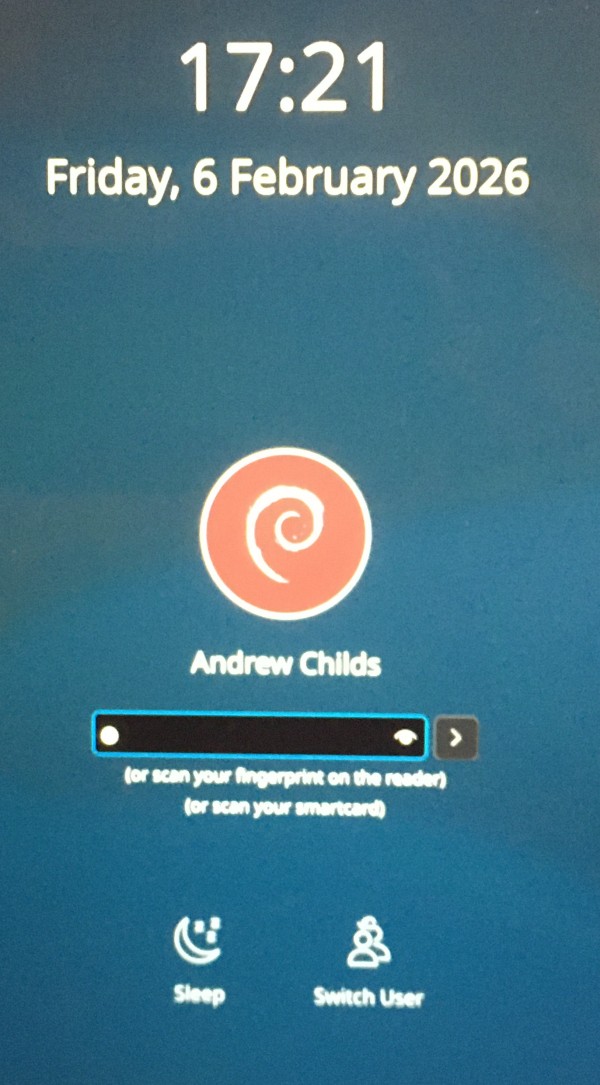
If you have the screen shown above and you do not know the password then click on switch user but then IMPORTANT.
At the next screen, shown below, you MUST CHOOSE SHUTDOWN.
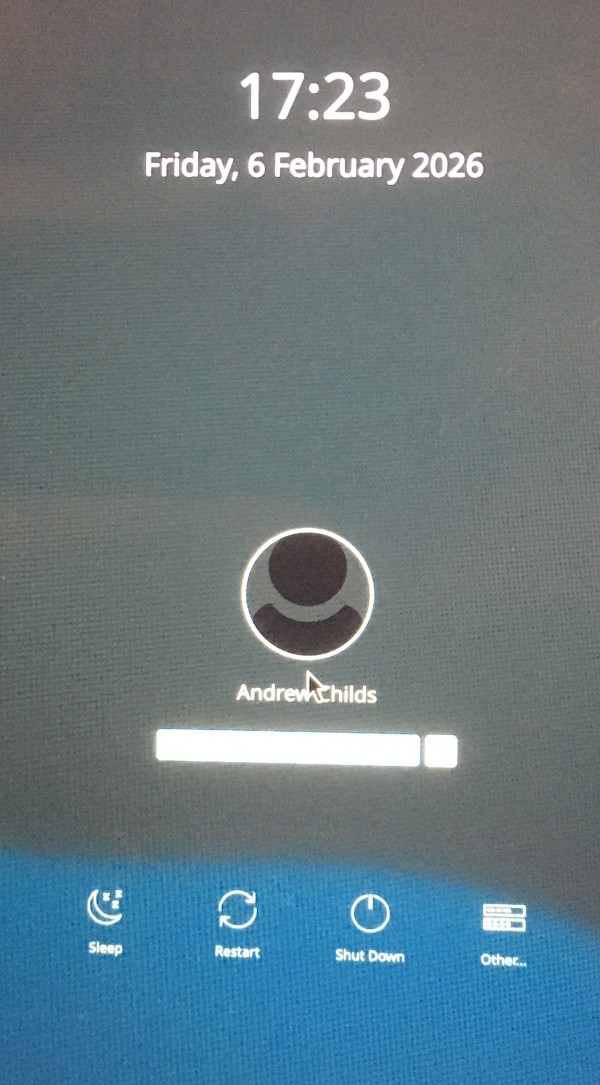
This is because I have discovered that choosing anything else here or trying a password makes the system crash. That is the case with the version of Debian I have as at Feb 2026. I will try to remember to update this instruction if a fix is done in a later version.
Boot into MacOS Catalina
The MackBookPro laptop has on it, a password manager called KeychainAccess. Using this will enable you access to many of our online accounts. See the link in the menu on this page.
The user account used on the MacBookPro 2015 is called Admin and the password will have been sent to you via Whatsapp (but read on).
If you tap a few keys and the laptop wakes up -- and you see that the user is Admin with a picture of a young Andrew then it is booted to MacOS.
If you do not know the password then just keep moving your finger on the touchpad to keep the MacBook awake and then using a different machine or phone, go to this address http://localhost:8888/walt.html to get the password.
To do this you will need your machine to be accessing the Internet via our wireless network - in other words it needs to be connected to the same network as the MacBook Pro. You could use the Dell machine in the garage (read on for instructions for the Dell).
I normally keep the laptop up and running but it will revert to the logon screen after a period unused.
If the laptop is turned off then before starting it up please be sure that it is off by holding it up close to your ear. This is important because the way you turn it on would if it is already running would force a shutdown in a manner which could possibly corrupt the operating system.
When you turn on the MacBook Pro so as to boot up, then if you do not press the right key it will boot to Debian which is not the operating system that you want.
To switch on the MacBook Pro laptop press and hold the power button (Top right of keyboard) for about three seconds then release. Then immediately press and hold the alt key until the choice of boot device is shown. Toggle to the Catalina device and press return.
Now you are logged in as user admin
The preferred web browser is Firefox. Firefox will have many passwords for sites already saved. If Firefox does not let you into any of my accounts (e.g. BTemail, FamilySearch.org) then use the password manager "Keychain Access".
For hints on using Keychain Access click on the link on the top/left of this page.
Booting up the Dell
The Dell computer is in the garage.
- Turn on at the wall socket. Turn machine on at front right.
- Wait until screen says press any key to reboot
- Press any key but immediately hold down key F12
- When boot manager screen appears use down arrow key to choose UEFI -> Ubuntu or Windows (Ubuntu will give an options screen but you can just wait at this - it will continue with normal boot).