These are must reads apparently linux.oneandoneis2.org/LNW.htm and also www.linux.com/what-is-linux/
This site may be worth an occasional look distrowatch.com but it is an awkward site.
Running Debian live from a USB stick
The username is user and the password is live
Installing additional software
Debian Handbook notes on installing softwareAptitude
Install instructions on ioflood.comKDE
Welcome_to_KDE communityKlipper (the paste buffer manager)
To use click Super + v
Linux
www.howtoforge.com is a good place for tutorials and a good section on commands
This may be of some use The Linux Documentation Project. and here is their How To s Page.
Debian 13
I installed this operating system on Wednesday 28 January 2026 (on MacBookPRO) because I had recently installed Ubuntu 26.04 and that gave me problems immediately. Ubuntu install gave me no access to all folders on the disk.
I have so far found Debian 13 to be very good. I have updated the system and I have installed the video editing software Kdenlive. I have not yet had any need to use the command prompt.
I have also today (Wednesday 28 January 2026) installed Disk Usage Analyser - click link to see the program's website.
Today (9 Feb 2026 {or was it yesterday}) I installed aptitude. Which is a package manager. Use it to insstall packages (programs/applications).
Java - I installed Java 9 Feb 2026. See Java section for sites that helped.
IBus issue
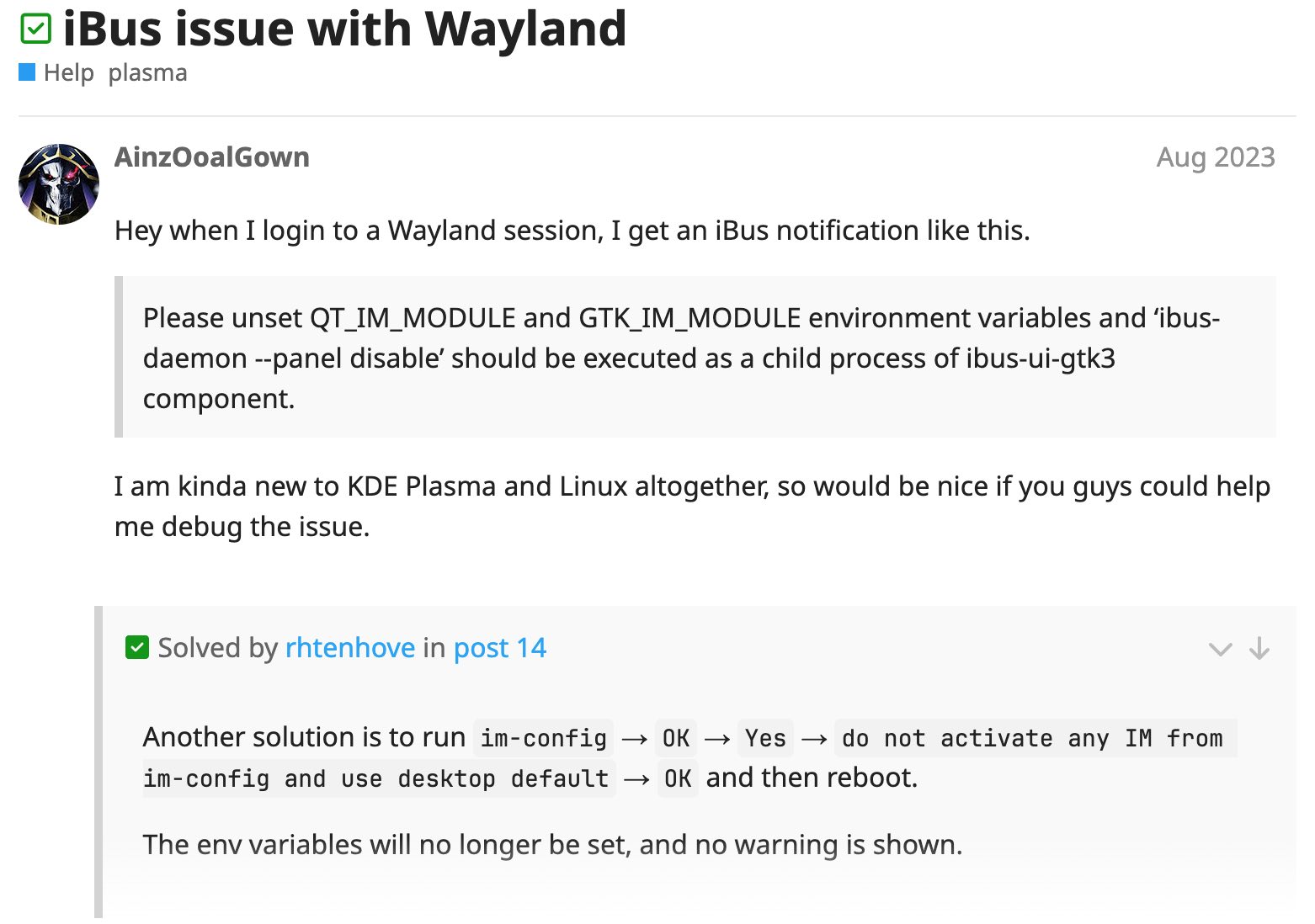
From day 1 of using Debian a small window has been popping up with an alert concerning IBus. Of course I do not know what IBus is.
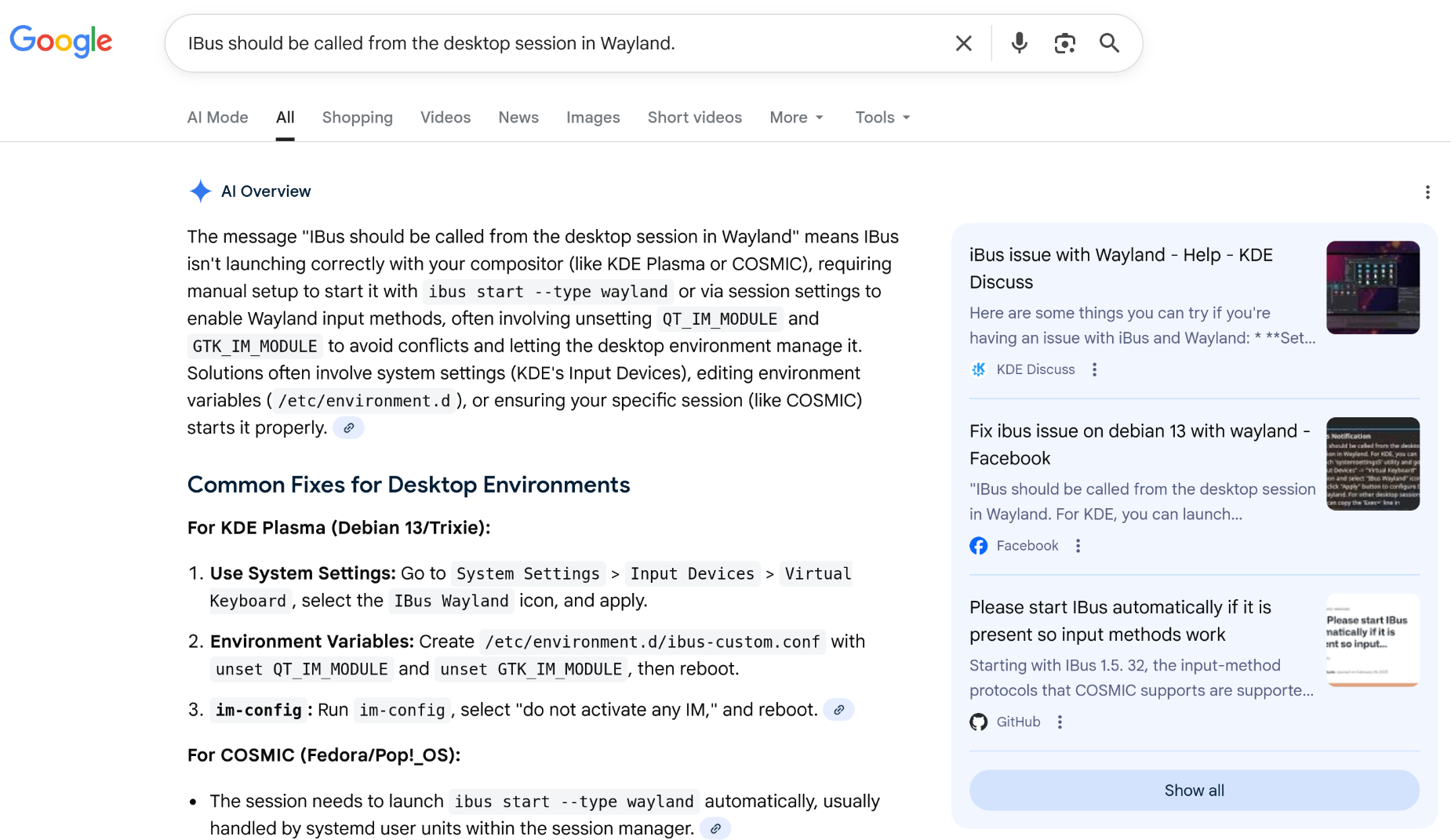
IBus (Intelligent Input Bus) is a powerful, open-source input method (IM) framework for Linux operating systems, including Debian. It manages multilingual input, allowing users to type characters in different languages
I found and followed a solution to this issue described here on the kde.org website.
WiFi issue
From the beginning (day 1 after install) the wifi is failing to reconnect after the system goes to sleep. For immediate relief without restarting, you can typically run sudo nmcli radio wifi off followed by sudo nmcli radio wifi on in the terminal to reset the connection.
Well the commands above did work the occasional time but ended up being next to worthless.
Could the following have finally fixed it.
Today is 1st February 2026 (4 days after opsys install).
I followed the instructions on Installing Broadcom Wireless Drivers which seems like it may have worked since I have put the system to sleep and then awakened it to find the wifi still operative.
I will see how it goes in the next few days. .......Monday 2nd February 2026 - yes I think it is now fixed.
See also the Libre Office file stored at part79GB/macbook2015-network-controller.odt which has interesting stuff worth ensconsing in memory.
Debian Reference
The name on the browser tab for this link is Preface but I do not know how I arrived at this page.
Debian Reference
This book The Debian Administrator's Handbook is an ebook.
Here is the Wikipedia page for Debian.
Wayland
Wayland has been the default display server for the GNOME desktop environment in Debian since version 10 (Buster), with support strengthening in subsequent releases.
GNOME
GNOME is a popular, free, and open-source desktop environment for Linux systems, often used as the default interface for Debian. It provides a modern, user-friendly graphical user interface (GUI) featuring windows, icons, a file manager, and, on Debian, is known for its clean, productive workflow and customization options, such as using Extensions for added functionality. Key aspects of GNOME in Debian include: Default Experience: It is often the default choice in Debian installations, providing a consistent, user-friendly, and intuitive desktop environment. Workflow: Instead of a traditional "start menu," GNOME uses an "Activities" overview accessed by the Windows/Super key to manage windows, workspaces, and launch applications. Applications & Customization: It comes with a suite of built-in applications and supports extensions (like Dash to Dock or Arc Menu) to customize the layout. Core Components: GNOME includes the Mutter window manager, the Nautilus file manager, and the GNOME Display Manager (GDM) for login. Appearance: It provides a polished, modern look with both light and dark theme options.
NOTE:- My Debian 13 install uses Wayland -- plasma instead of Gnome.
LAMP
Installing the LAMP stack on Debian 13
Here are the instructions at crowncloud.net.
Here are the instructions at Debian.org handbook.